How to Make Herobrine Costume
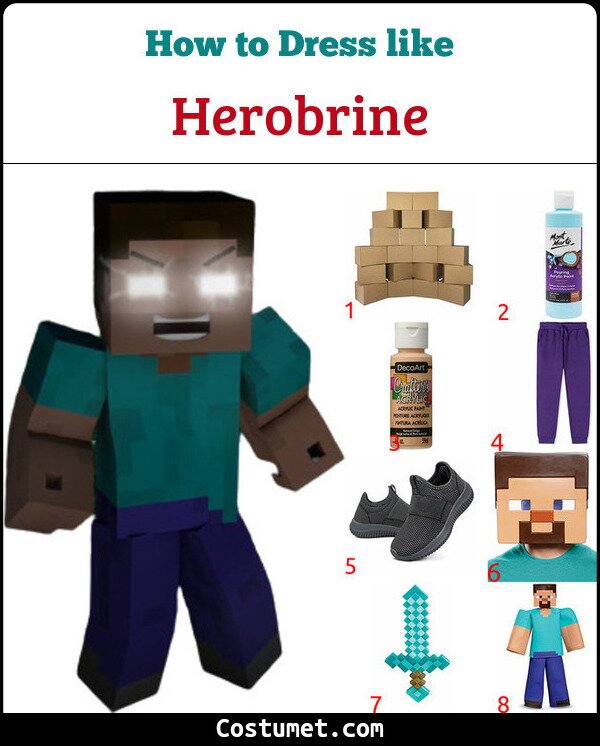 Moving BoxesLight Blue Acrylic PaintFlesh Acrylic PaintPurple JoggersGrey SneakersMaskSwordFull Costume SetSaveTap any item in the photo to shop itClick any item in the photo to shop it
| # | Item | Description | Shop |
|---|---|---|---|
| 1 | Moving Boxes | To get the boxy look of Minecraft characters, make use of moving boxes. | 🛒 Check on Amazon |
| 2 | Light Blue Acrylic Paint | Use light blue acrylic paint for the boxes that comprise Herobrine’s shirt. | 🛒 Check on Amazon |
| 3 | Flesh Acrylic Paint | Use flesh paint for the boxes that comprise Herobrine’s arms. | 🛒 Check on Amazon |
| 4 | Purple Joggers | Wear plain purple joggers as your bottoms. | 🛒 Check on Amazon |
| 5 | Grey Sneakers | Herobrine prefers a pair of grey sneakers. | 🛒 Check on Amazon |
| 6 | Mask | Keep everything simple and wear a Herobrine mask. | 🛒 Check on Amazon |
| 7 | Sword | Don’t forget to arm yourself with your own pixelated sword. | 🛒 Check on Amazon |
| 8 | Full Costume Set | No need to DIY if you have this costume set on hand. | 🛒 Check on Amazon |
Herobrine is a character that was first created in the Minecraft community in creepypasta. He is a popular icon of the game but was not present in the world. However, some elements of his story are considered canonical by fans, and you can put him in-game as a mod.
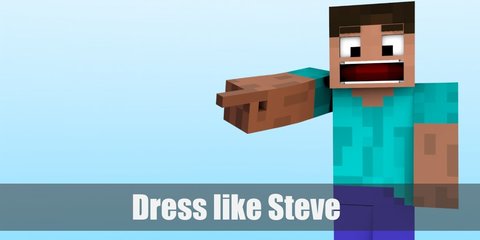
Herobrine can be regarded as the people’s choice since they willed him out of existence into the world of Minecraft. He wears a light blue shirt, purple pants, grey sneakers, and wields a pixelated sword.
About Herobrine
In September 2013, Marc Watson, an associate producer at Mojang, created a series of skins for Herobrine's head model. The skins were made to ensure no changes will occur while it is being used for various official entities. However, the skin used to show Herobrine without a beard, which was different from the widely known look of the icon. This mistake was corrected in December 2017 to reflect Herobrine's original canon design.
Check out these sites to learn more about the Herobrine and other characters from Minecraft: